
5 Ways to Declutter A Messy Doc
A messy Google Doc is more than just an eyesore. It can seriously interfere with executive function and effective writing. Consider this example:
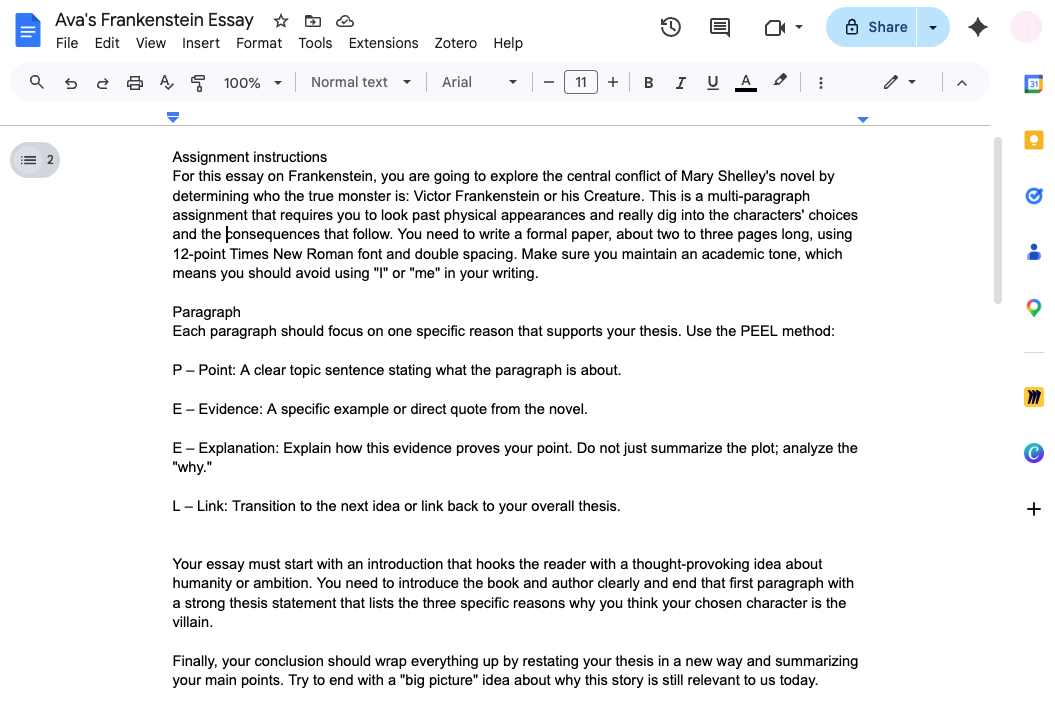
Here’s why this document makes writing harder:
It strains our working memory. Our brains can only process a limited amount of information at any given moment, and digital clutter overloads us with more than we can reasonably manage.
It overwhelms the reader. A chaotic document serves as a visual reminder of every step of the writing process, intensifying the anxiety and dread that can come with writing.
It fragments your attention. Disorganization pulls your focus in multiple directions, making it difficult to concentrate and get started.
These challenges are even more pronounced for writers with weak executive function, ADHD, dyslexia, and slow processing speed.
The good news? In just a few simple steps, you can tame the chaos and make writing much easier for yourself.
Step 1: Add headings
Reviewing our sample doc, I see a few sections: instructions, a sample outlining, and brainstorming. I’ll add three headings for each of those.
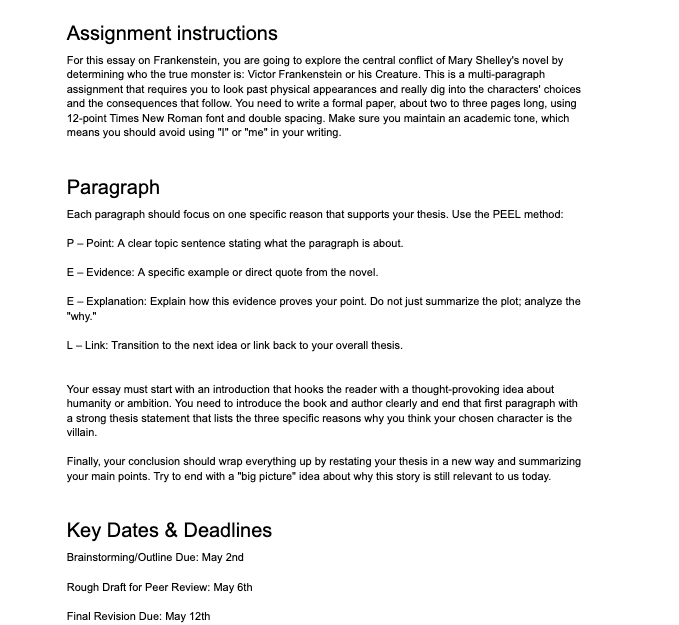
The page already feels more organized. Notice that Google Docs also makes it easy to jump from section to section. The headings are displayed in the sidebar, so we can navigate more easily and with less scrolling.
Our new headings make it easier to clean up the rest of the Google Doc. A broad, poorly defined task (”clean up the document”) now has clear steps:
Organize the instructions
Read through paragraph criteria
Read through dates and deadlines
Step 2: Switch to the pageless format
This format allows us to toggle the headings and hide the content beneath. Everything is still there, but we can collapse it so we’re just looking at one thing at a time.
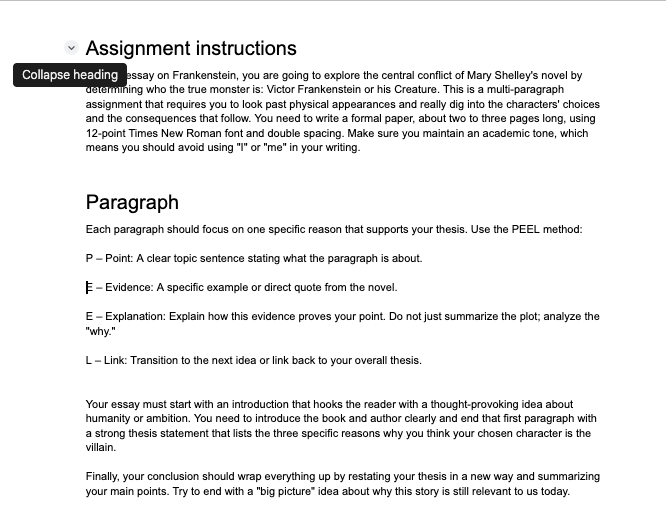
To switch to pageless format in Google Docs, click on 'File' > 'Page setup,' then select 'Pageless' at the top. Click 'OK' to apply the changes.
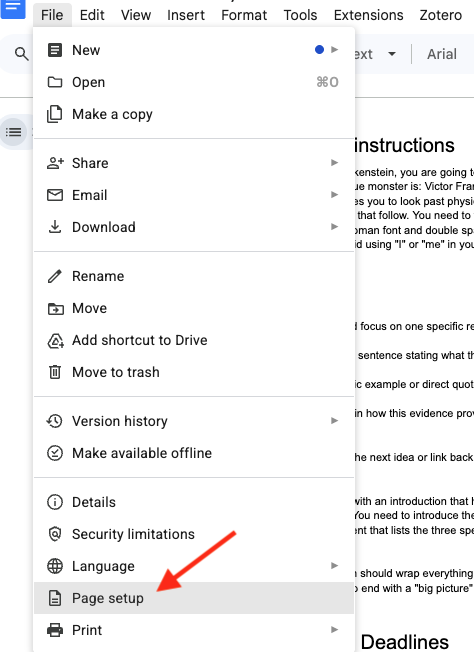
Again, this makes it easier to focus only on relevant parts of the document and minimize visual clutter.
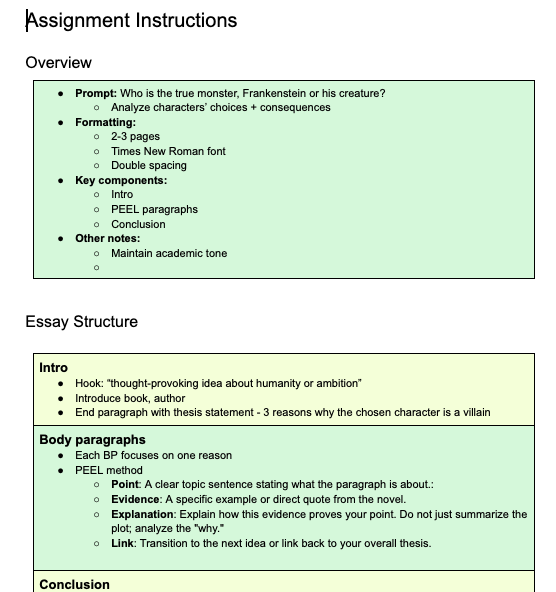
Step 3: Add boxes
My students make fun of me for this, and perhaps there’s some joke to be made about thinking inside boxes. Still, I like boxes because they create a sense of neatness and separate information. Maybe that’s what keeps the Container Store in business.
Step 4: Add color
I’m a huge fan of colorhunt.co. It offers tons of beautiful color palettes and lets you sort by color and style for inspiration.
Color doesn’t just add visual appeal. It also guides your attention. With just a glance, you can instantly distinguish one section from another, even before reading the text.
As a side note, I’m always intrigued by the variety of preferences among my students. Some are so sensitive to light that a white page hurts their eyes. Others tell me their favorite colors are neon pink and neon green–or, ideally, both together.
Step 5: Make a checklist
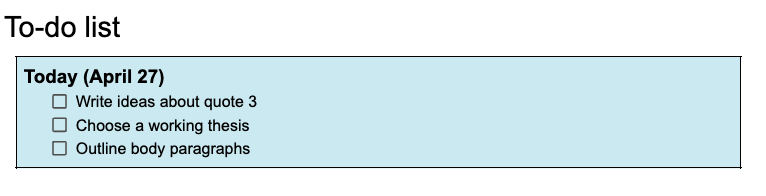
Checkboxes are a game-changer. Whether or not the Google Docs team set out to boost executive function, their checklist feature does just that. Breaking big tasks into manageable steps helps students see their progress and stay motivated. Plus, checking off each item is undeniably satisfying.
So there you have it: my five-step Google Doc makeover. With these tricks, you’ll be able to turn even the messiest document into a powerful tool for focused, productive writing.
Give these steps a try the next time you open up a cluttered doc. You might be surprised at how much easier everything feels!
